Pending references
Pending references are references submitted by external users through a public reference link. When someone outside your Hublyd workspace fills in and submits a reference form, the reference is not added directly to your library. It is first saved as a pending reference and must be reviewed before validation.
Written By Hublyd
Notification
When a new reference is waiting for validation, Hublyd displays a notification.
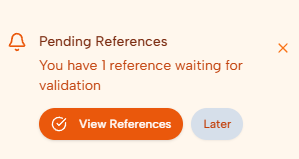
From this notification, you can click View References to open the list of pending references. You can also choose Later and review them at another time.*
Viewing pending references
The Pending References page lists all references waiting for validation.
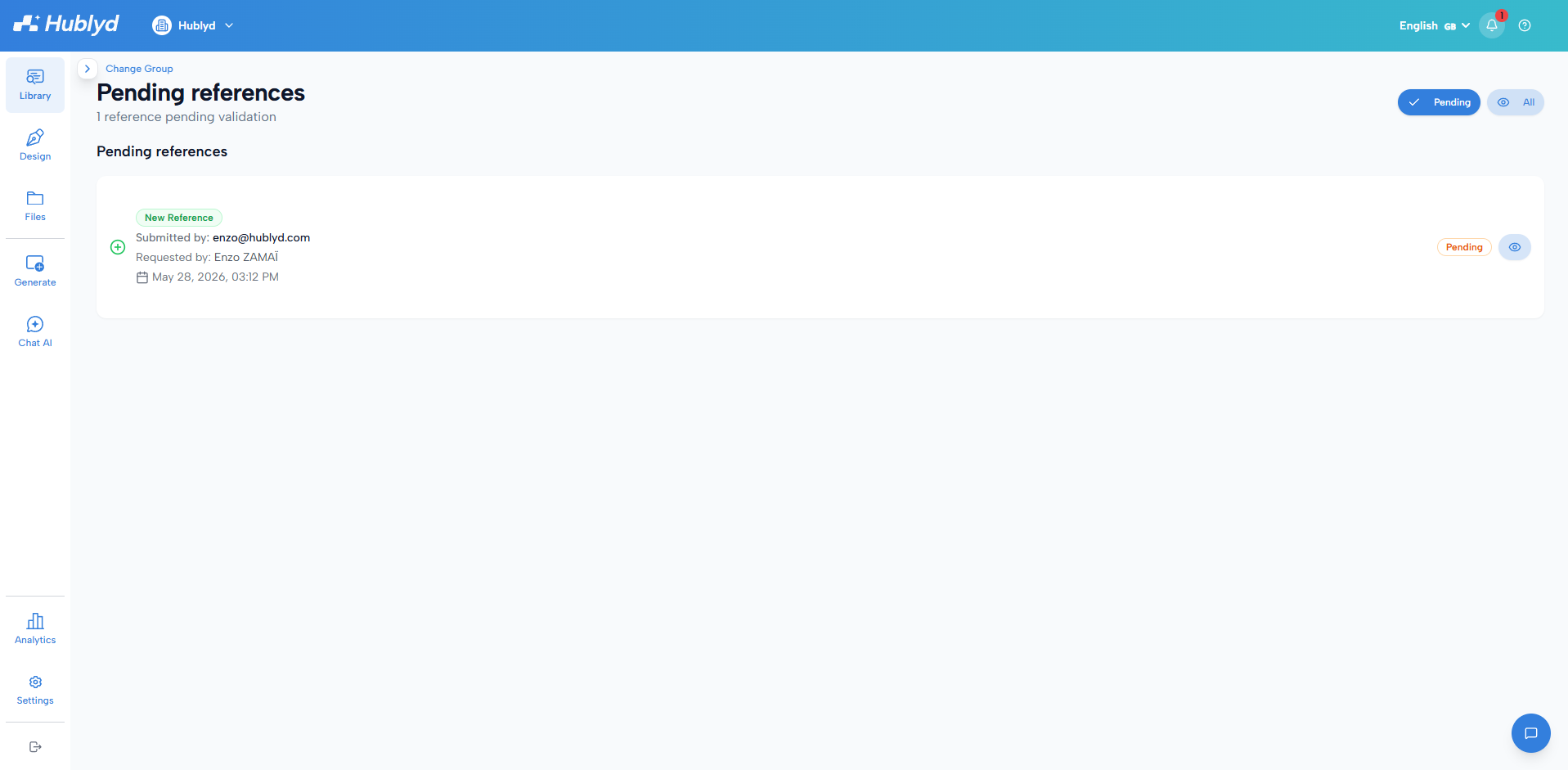
For each pending reference, you can see:
Who submitted it
Who requested it
The submission date and time
Its current status
You can use the filter buttons to view only pending references or all submitted references.
Reviewing a submitted reference
Click the view icon to open a pending reference. The validation page lets you review the submitted data before it is added to your library.
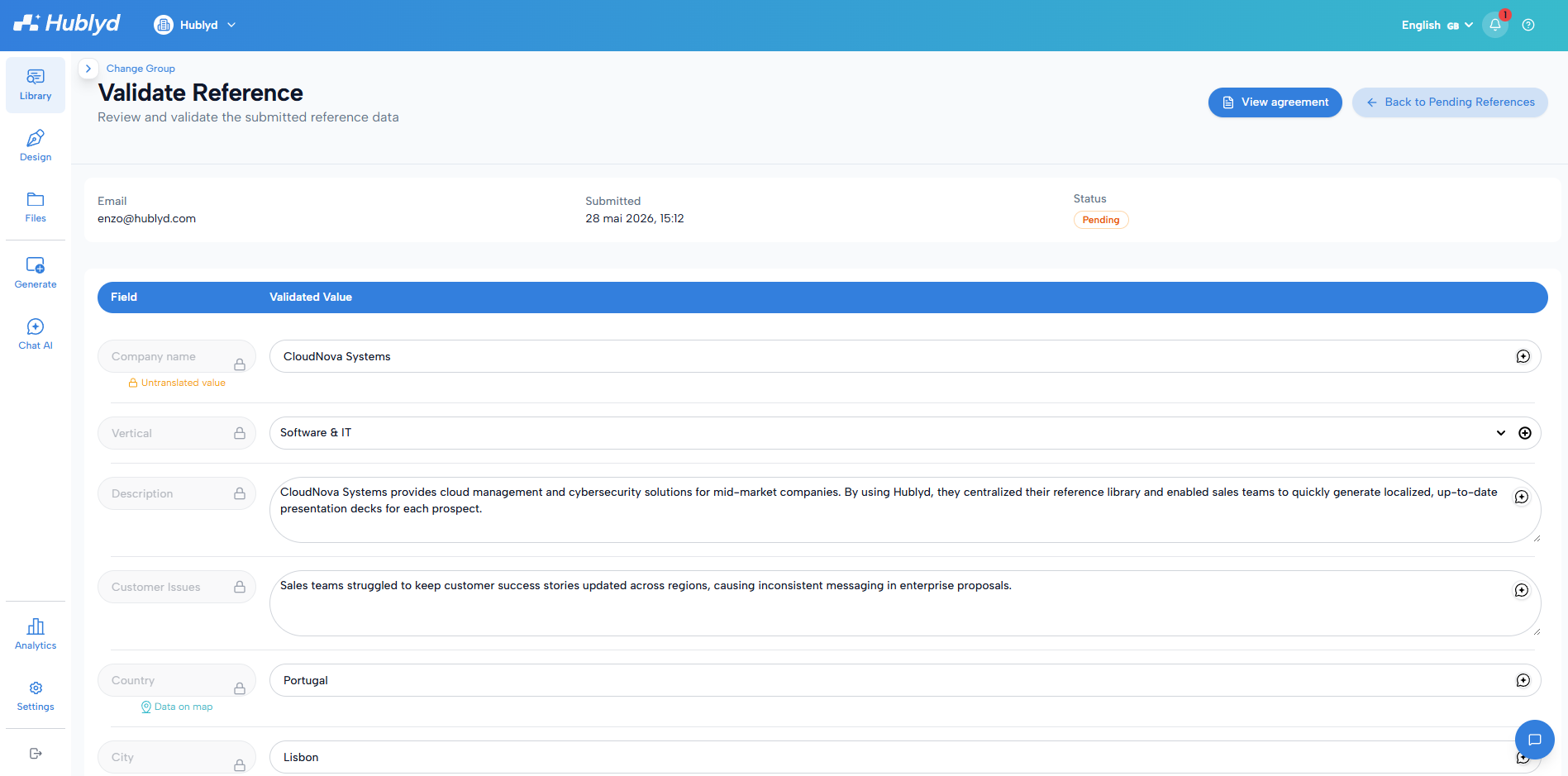
You can:
Check all submitted fields
Edit or complete values
Upload or replace images
Adjust the security level
Mark the reference as draft if needed
View the signed consent agreement
Approving or rejecting the reference
After reviewing the submitted data, you can either approve or reject the reference.

Click Approve & Save to add the reference to your library. Once approved, the reference becomes available according to its status and security level.
Click Reject if the submission should not be added to your library.
Was this helpful?
Still need help? Share an idea