References overview
References are the core data behind everything you generate in Hublyd. They are used to create slide decks, populate templates, and generate consistent, data-driven content. In this section, we’ll explain how references are organized, how libraries work, and when you might need more than one library.
Written By Hublyd
What is a reference?
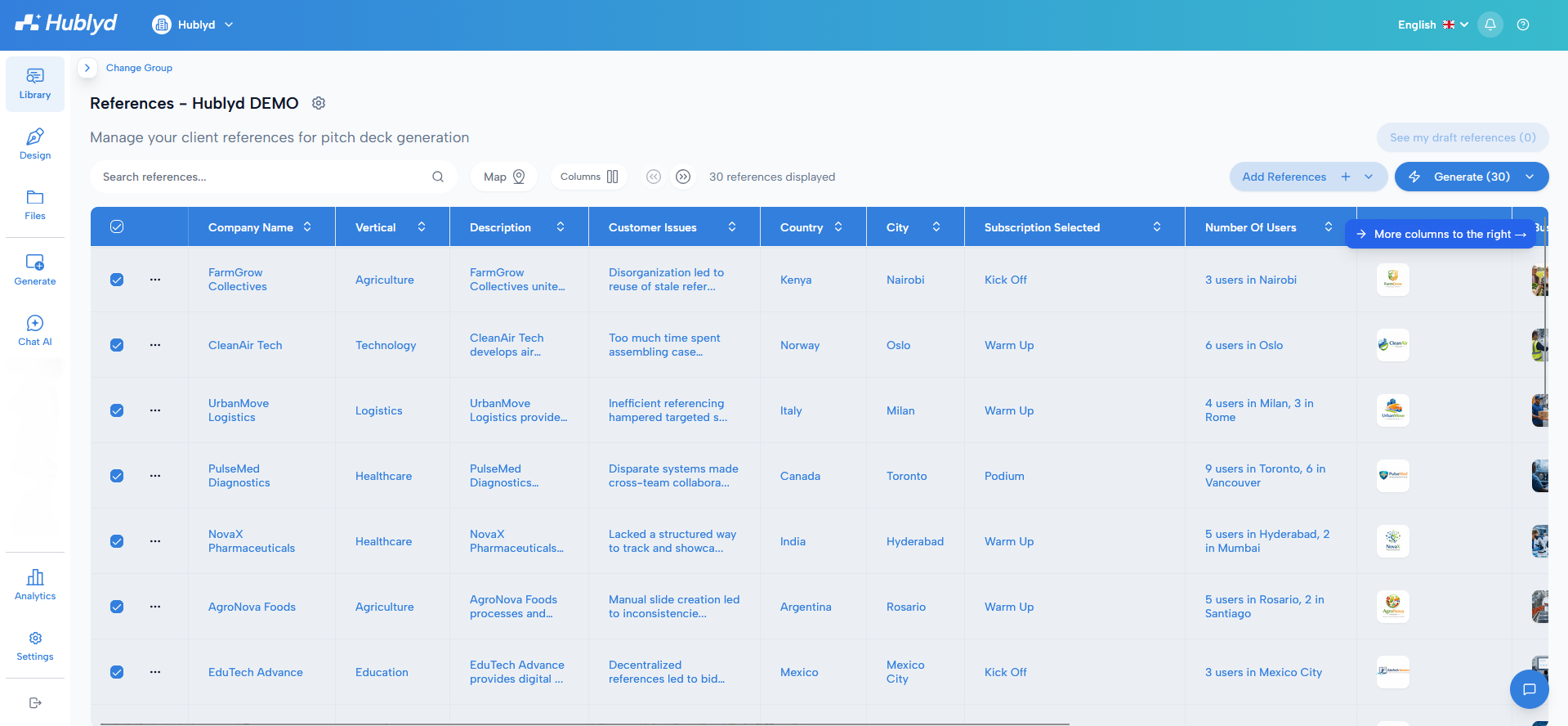
A reference represents a single customer project, use case, or success story.
In Hublyd:
A reference is one row in the references table
Each column (field) describes one attribute of that reference
For example, a reference may include values such as:
Client name
Project title
Country
Industry sector
Key outcomes
Images or documents
Each row contains all the information needed to generate slides or content for that specific customer or project.
What is a library?
A library is a collection of references that all share the same structure.
More specifically, a library defines:
The schema (columns, data types, and available fields)
The set of references (rows) that use this schema
Every reference inside a library follows the same column structure. This is what allows Hublyd to reliably populate templates and generate presentations.
How libraries are used in Hublyd
Libraries are used throughout the product:
Templates are built using the columns of a library
Generated slides pull values from references in the selected library
Filters, Smart Search, and maps operate within a library
For most teams, a single library is enough and strongly recommended.
Single library vs multiple libraries
Using one library keeps things simple:
Easier reference management
Better template reuse
Consistent generation workflows
However, some specific use cases require multiple libraries.
Multi-libraries (Premium plan)
The multi-libraries feature is available on the Premium plan.
It allows you to create and manage multiple libraries, each with:
Its own schema (columns and data types)
Its own set of references
Libraries are fully independent from each other.
When does it make sense to use multiple libraries?
Multiple libraries should only be used when reference data is fundamentally different and cannot reasonably share the same structure.
Common examples include:
Very different products or offerings
For example:
One library for Cars
One library for Buses
Each product may require very different columns (engine type, capacity, regulations, certifications), making a shared schema impractical.
Highly independent teams
If different teams:
Work on the same workspace
Use very different data models
Generate different types of presentations
Separate libraries can help keep each team’s data clean and focused.
When you should avoid multiple libraries
We generally recommend not using multiple libraries unless it’s truly necessary.
Multiple libraries can:
Increase complexity
Reduce template reuse
Create silos between teams
If your needs can be handled with:
Optional columns
Filters
Tags
Reference selection
A single library is usually the better solution.
Switching and creating libraries
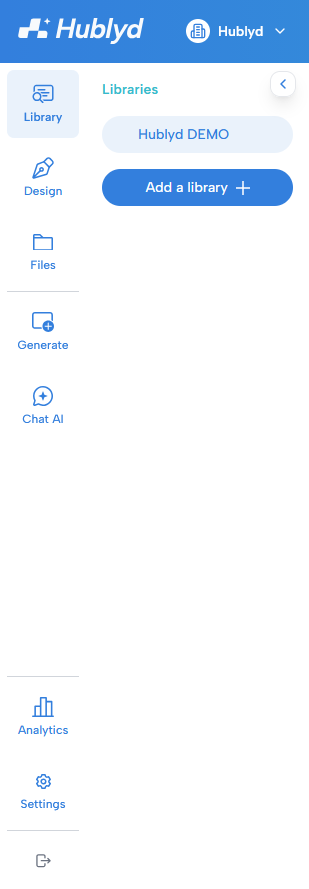
You can switch between libraries or create a new one using Change Group.
To do this:
Click Change Group in the interface
The second sidebar will open
Select an existing library or create a new one (if available on your plan)
What’s next?
In the next articles of the References section, we’ll cover:
Creating references
Managing and modifying references
Displaying references
Confidentiality and user access to references
These will help you fully master reference management in Hublyd.
Was this helpful?
Still need help? Share an idea